
When a photo isn't taken quite from above.
Taking a photo straight from above isn't always easy. Your snake moves, you need to fit its whole body into the frame, and it's easy to tilt your phone while looking for the right shot.
That tilt changes the picture: a section of the body receding into the distance looks shorter. If the snake and the reference object are in different parts of the frame, the measured result can differ noticeably from the actual length.
A level in the camera. The camera now shows how level you're holding your phone. Line up the marks before taking the picture to make a top-down shot easier from the start.
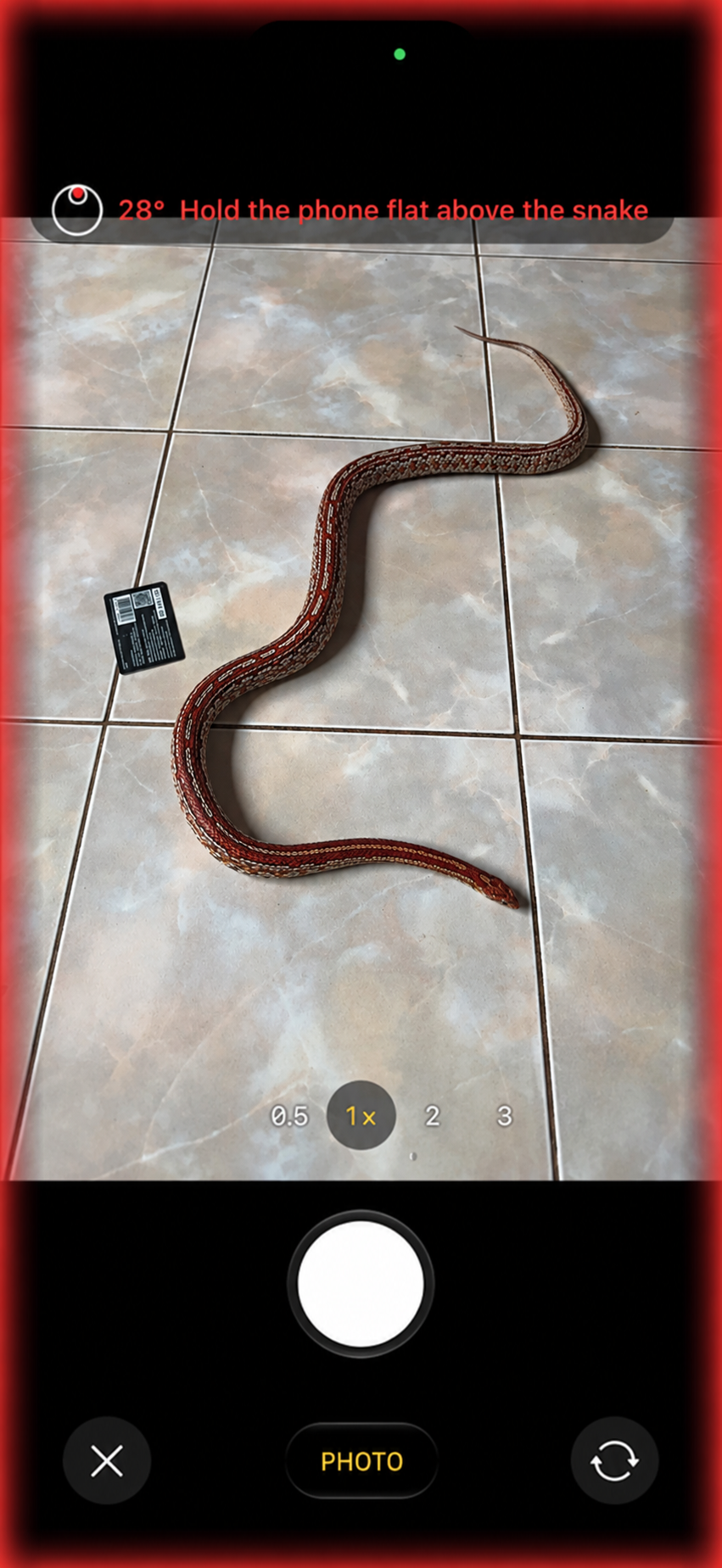
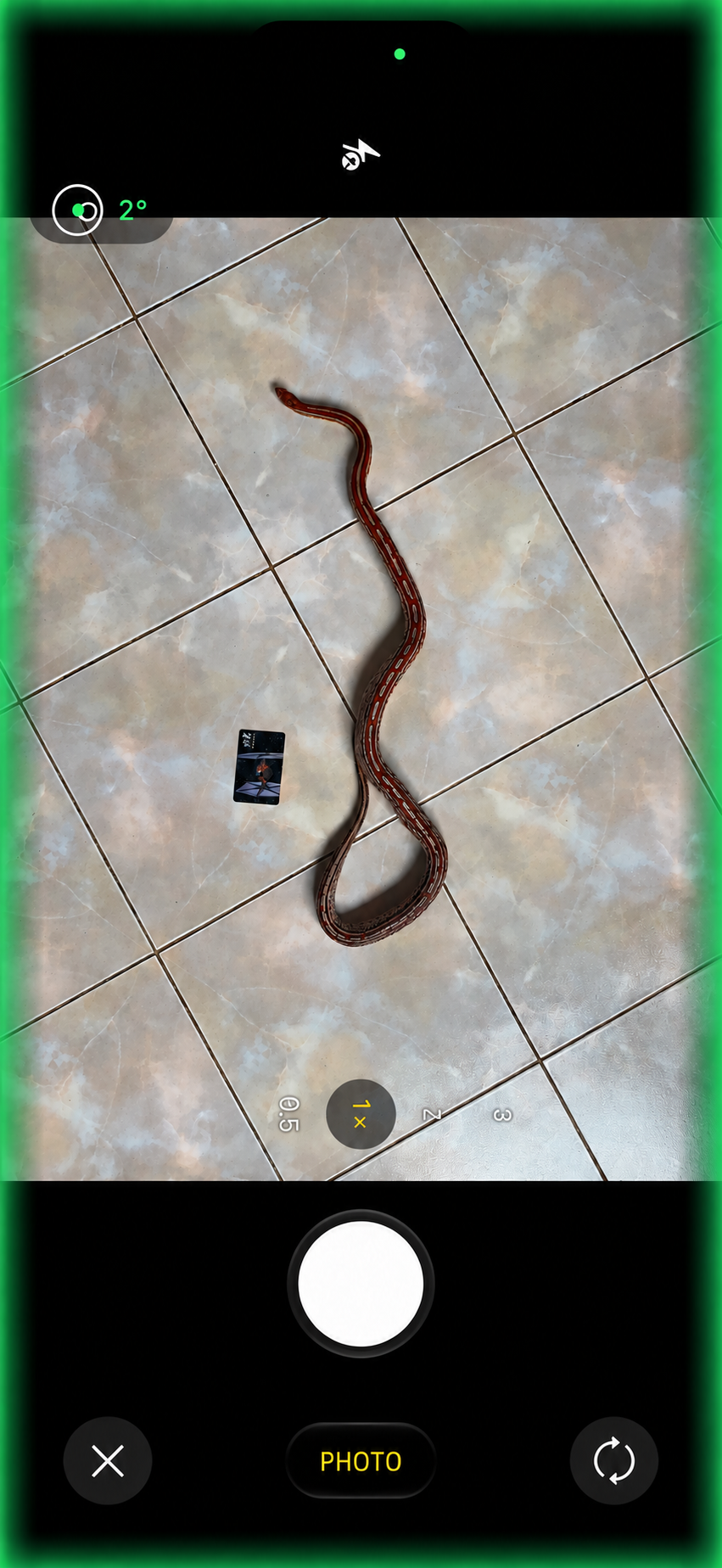
Already have a photo? You can measure older photos too. If a card, a sheet of paper or another rectangular object lies next to your snake, the app can use its corners to account for perspective. Check the suggested points and drag them onto the object's edges if needed.
A larger rectangle helps. A card or sheet of paper can describe the surface. You can also mark a separate rectangular object, such as a floor tile, as the plane. Its corners should all be on the same surface as the snake. A larger, clearly visible rectangle usually reduces the effect of small placement errors; check every corner.
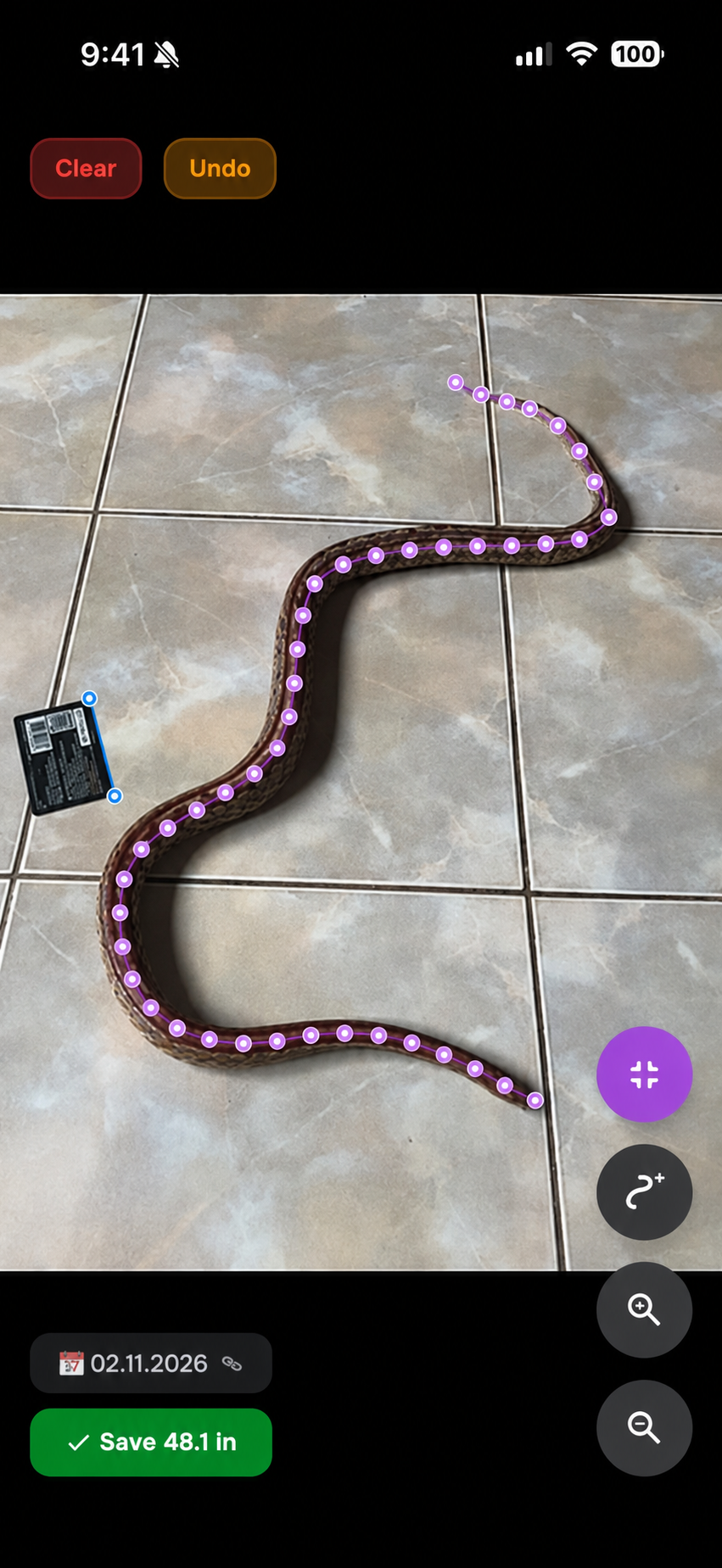
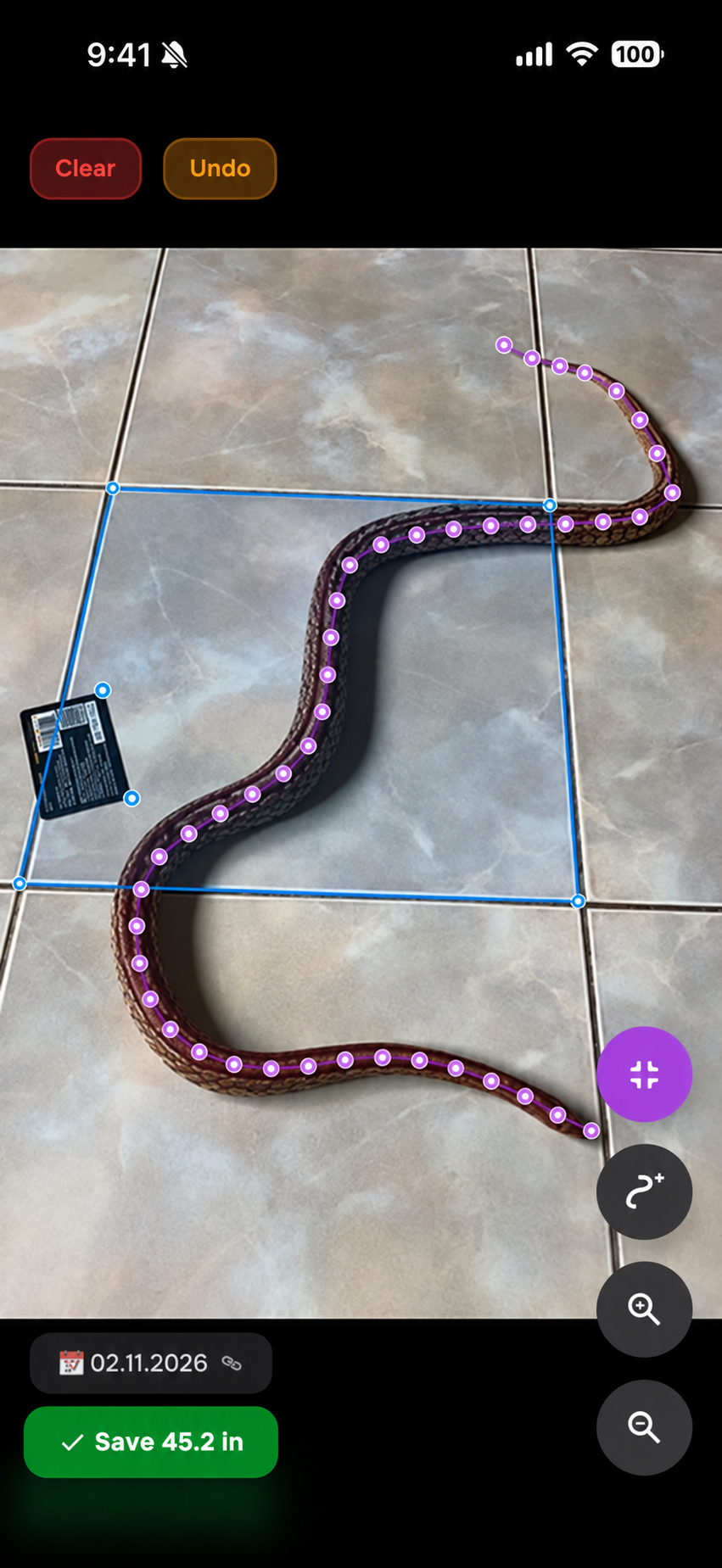
Perspective correction can help with an angled shot, but a photo taken from above is still the best starting point. Place the reference next to your snake on the same surface and try to fit its whole body in the frame.